These are homemade Walkie Talkies that I’ve made myself. They work with a direct wifi connection using ESP32 and ESP now connection and they are fully programmed in Arduino code. I’m sharing the PCB files, the part list, the 3D files and the code below if you also want to make such a project. So guys, this should be fun and it all started with the PCB so lt’s get started
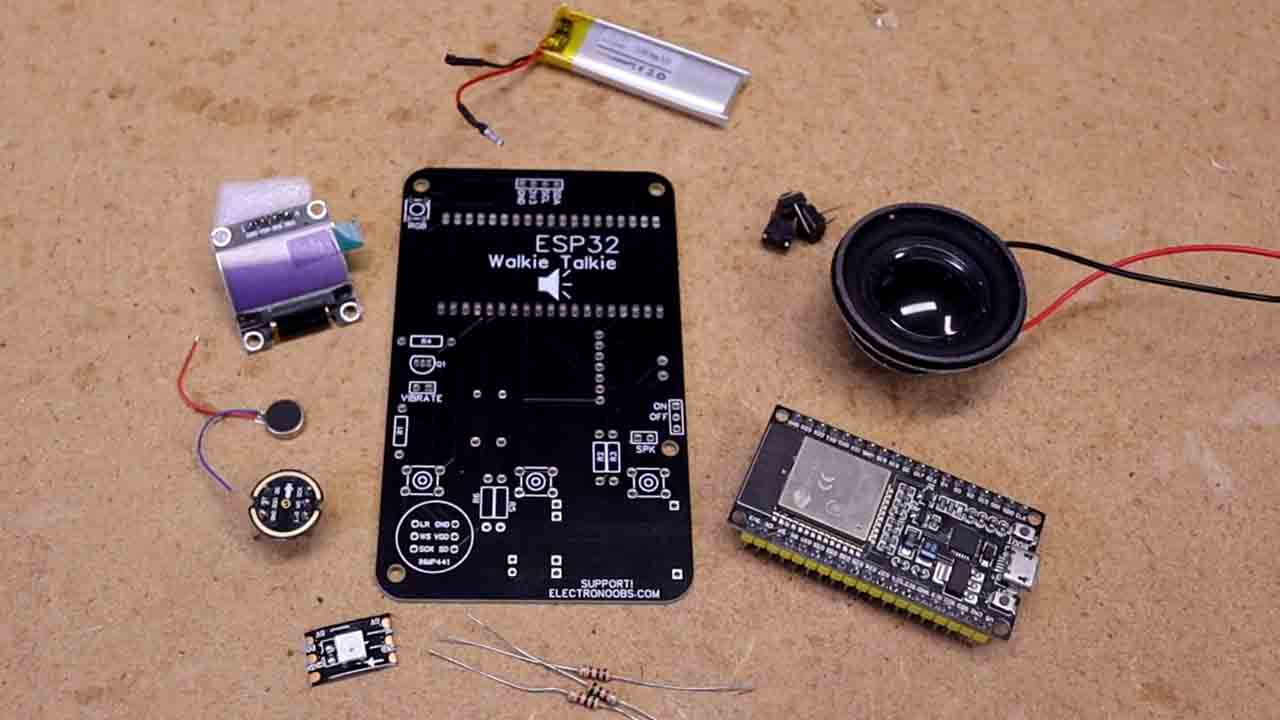
Let's see what parts I've used first for the prototype and once the new PCB is ready I will share a different part list. The new PCB might use a SMD ESP32 version with on board connector for an external antenna for better range. Then we can see the scheamtic, the PCB and finally the code with a new menu and extra stuff. Check below all parts listed in the update video and some components might be different if you want. Together with the part list you will need the 3D printed case, some wires, screws, etc.
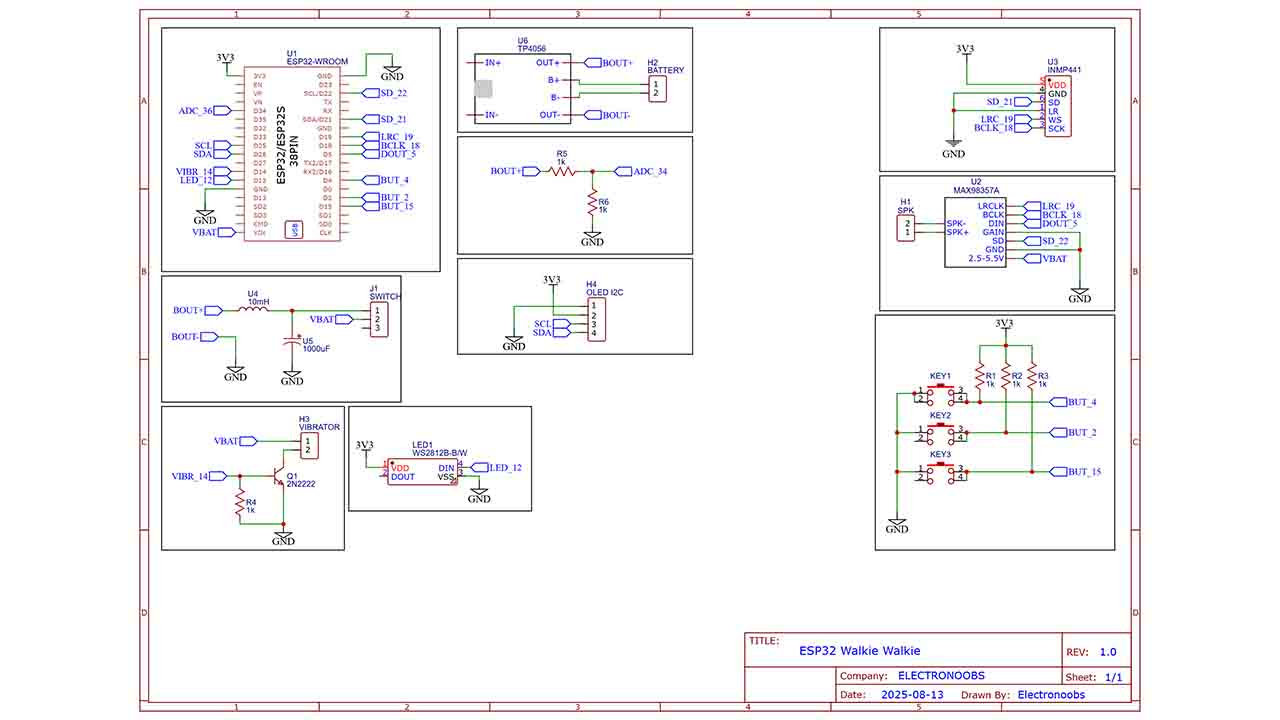
The schematic is simple, just connections to the components and modules. In the future I will make the PCB a los smaller but for now is good as a prototype.
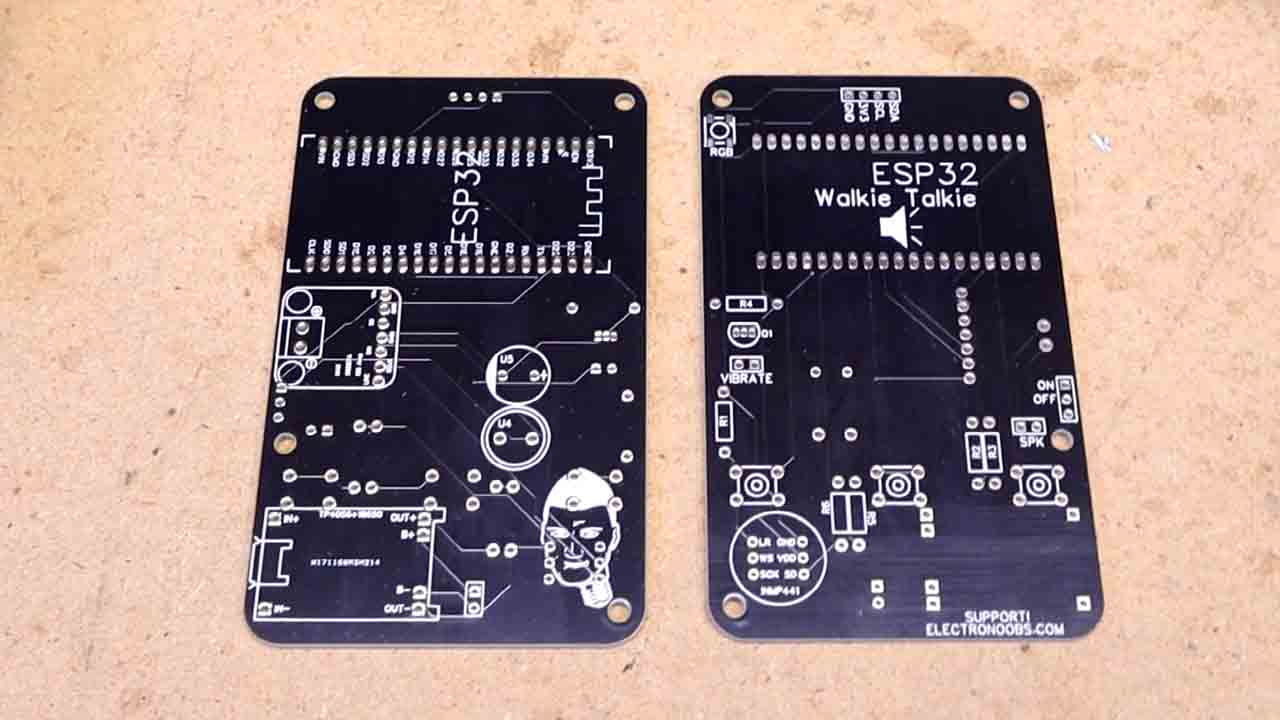
I wanted to make a programmed walkie talkie for a long time and I’ve finally made it, and if you want to also replicate this project, download my GERBER files from below for free as always. Go to PCBWAY.com and click the quote now button. Here we add the size of my PCB and also select a color. I’ve selected the black one. Save to cart and on the next page upload the GERBER files you’ve downloaded and make the order. For only 5 dollars you can get 10 great PCBs for your prototypes and cool projects. In a few days I received my PCBs and I was ready for my walkie talkie.
My PCB has a small vibrating motor and RGB LED for notifications, it could have single channel or broadcast mode, it has an OLED display to show any value you want and with an ESP32, you can always go further and involve IOT or any other internet related plugin. Imagine a walkie talkie with internet.
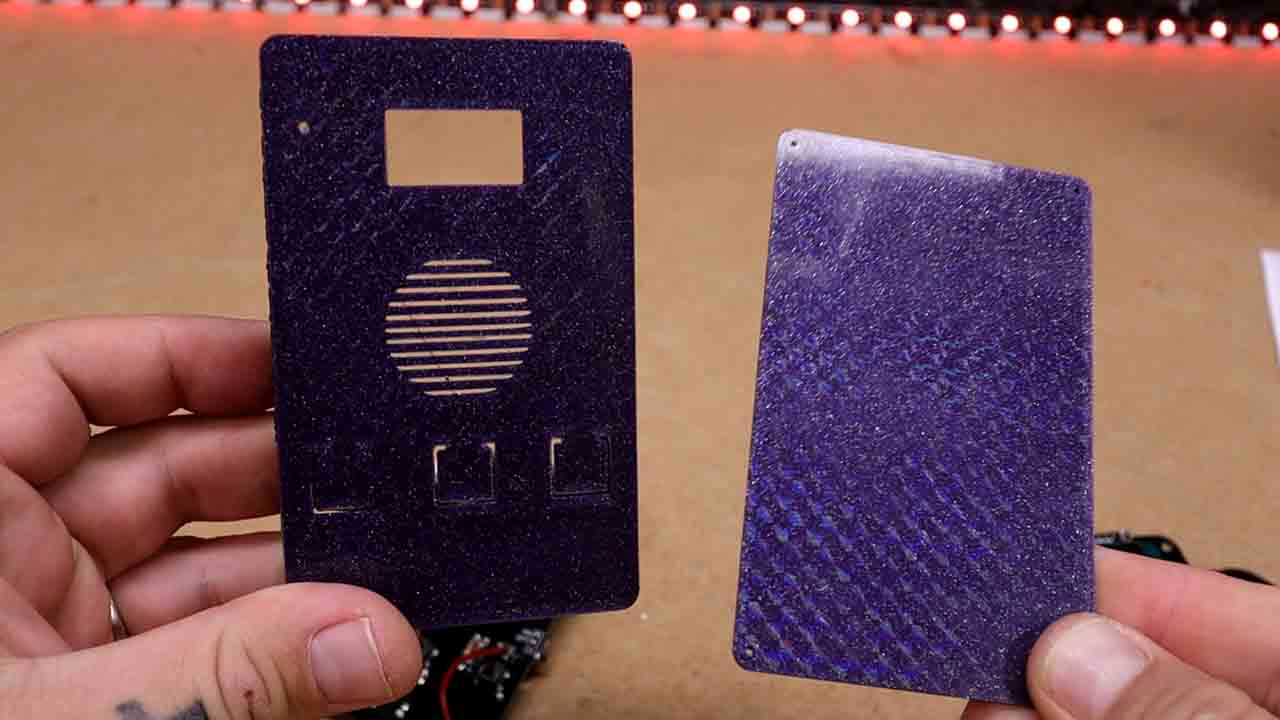
Now I have two so I’ve also designed a case and 3D printed it. The case is simple, it has space for the USB inputs, the switch, the OLED display and the push buttons. The 3D printed design already has flexible buttons that will touch the buttons on the PCB. It has this nice finish because I’ve used my hologram printing bed with my 3D printer. They look ok.
So once we have the PCB and the case, get the USB cable and upload the final code, which by the way let’s check it out real quick. Include all the libraries which if you don’t have, check the links for the download. Define the OLED display settings. Define all the inputs and outputs to be the same as on the schematic. If this variable is set to true, broadcast mode is activated, meaning the ESPNOW protocol uses the default broadcast MAC which is this one, an array of 6 double FF in hexadecimal and with this, all the ESPs that are around will receive the audio at the same time. We can also use specific channels for private communication and to get the MAC of your ESP32 device, use this wifi.MAC address function. Actually, I’me made the code to print on the OLED screen the MAC address so you could just copy that. The entire code has comments so read them for more details. We make a function to configure the I2S for the microphone. Then another function for the i2S of the DAC. This function sets the receiver MAC. This function runs each time we receive a new data using ESPNOW and gets the received bytes and sends them to the DAC using i2S write. In the void loop, each time the push button is pressed, we stop the DAC and start the microphone and using I2S we get the sound from the module and send it using ESPNOW using this line here. And that’s it for the first draft of the prototype code. Obviously, now that I know it works, I can work on making a menu on the OLED display, making automatic pairing, different channel selector, making vibration and LED notifications and maybe also adding encryption but that’s for a future update.
So guys, now that I have the walkie talkie project , I can start working on the programmed door bell intercom and maybe save you some money. I’ll make another update once I have something new related to this project but till then, check the website page for the PCB, the code, the part list and the 3D case for free as always and maybe support me on PATREON for my work.